

–
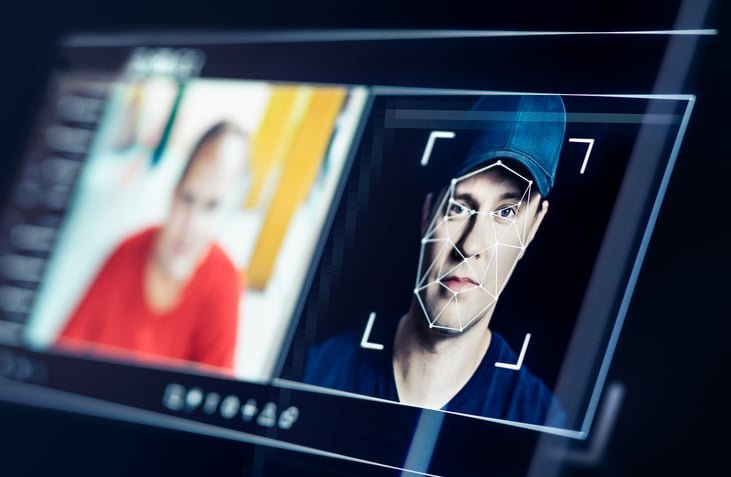
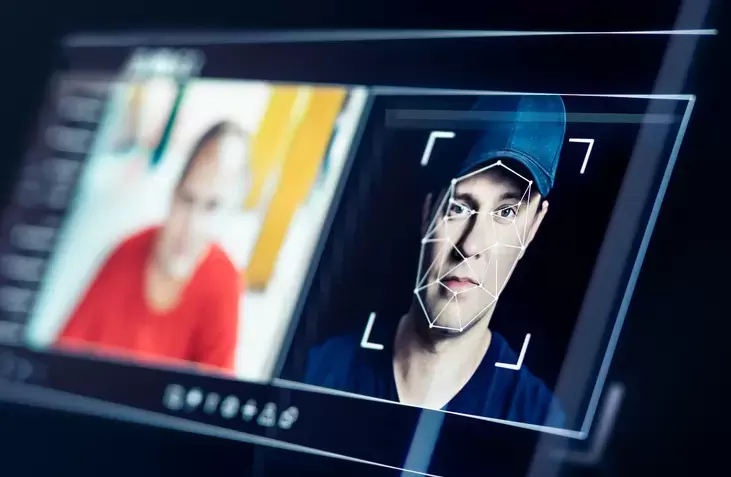
Let’s be real – Face Swap AI Tools have come a long way from the awkward, awkward results we used to get. Nowadays you can swap faces for free without watermarks and the whole thing takes maybe three steps. On top of that, many of these platforms double as fully-fledged AI image editors, offering extras like uncrop tools and image enhancements to help you polish the final result.
In this guide, I’ll show you how to get started with the face swap technique, some creative ways to put it into practice, and some advanced techniques.
Getting Started with Face Swap Technology
Face swapping is easier than most people expect. You pick a tool, upload two photos and that’s basically it. Compare that to a few years ago when you needed serious editing chops and hours of manual work to get anything half decent.
The truth is, you don’t need to mess with prompts, masks, or retouching. AI handles them all automatically. You start by uploading your base image – this sets the pose, lighting and framing. Then upload a reference image with the face you want to use. Maybe a picture of yourself, a friend, or anything you want really.
AI looks at both images in seconds, analyzing facial geometry, light direction and skin tone before combining them. Your results are visible almost instantly and you can download them as a PNG. The whole process from start to finish takes maybe a minute, if that.
One thing that makes a big difference though is picture quality. Use clear, well-lit photos where faces are easy to see and properly framed. Portraits and lifestyle shots work best. If you want really realistic results, try to choose photos taken in similar lighting conditions – this helps to match skin tones naturally and reduce the need for color correction later.
Your output is yours to keep, and most platforms keep everything private and secure. Whether you’re just hanging out with friends or trying out a new look, the barrier to entry is essentially zero at this point.
Unlock your creative potential with Face Swap
Face swapping isn’t just for laughs – it actually has some seriously creative applications across various industries. Content creators use these tools to create personalized social media campaigns, swapping faces in campaign content without organizing expensive reshoots. Marketers can take a single base video and adapt it for different regions by replacing faces while maintaining the same storyline and composition.
In filmmaking, it’s really useful for practical things. Directors use face swapping for rapid prototyping of character appearances during pre-production—essentially mocking casting choices by digitally placing actors in roles before anyone steps foot on set. It also helps with digital doubles and de-aging effects, which can save a lot on the visual effects budget.
Education is another area where this technology shines. Teachers can create interactive lessons where students see the faces of historical figures, which really helps with engagement and empathy. Language courses become more immersive when students see themselves speaking as familiar characters – it sounds a bit silly, but it really boosts confidence.
For social media, Face Swap lets you create memorable profile pictures by swapping them with celebrities or cartoon characters. E-commerce platforms are also using it – virtual modeling for clothes and accessories means customers can preview products on different body types and faces, making the shopping experience more inclusive. And it all reduces the need for multiple photo shoots, saving both time and money.
Advanced face swap techniques and tools
Motion tracking is where things get really interesting. This technology tracks facial features throughout the entire video sequence, so swapped faces stay in place and move naturally in each frame. It’s available in tools like Wondershare Filmora since version 10, and it makes a huge difference for video projects.
Multi-phase processing takes this even further. Some tools can now handle up to 6 faces simultaneously in a video clip, with automatic face detection doing most of the work. This is great for group videos, storytelling projects and marketing campaigns with multiple characters – you can swap them all out at once while keeping things looking natural.
The performance is also very good. GPU acceleration means you can render a 1 minute video in about 10 seconds And in terms of quality, we’re now talking 4K output – professional-grade stuff without the pixelation or distortion that was inevitable before.
For developers who want to go deeper, there are APIs available that allow you to integrate face swap capabilities into custom applications. This opens the technology up beyond standalone apps and into specialized professional workflows. It pairs really well with a AI image editor with prompts For more specific editing, and you can use an AI photo enhancer or AI image enhancer to clean up and Enhance the image After the swap is completed.
wrap up
Face swap technology has gone from a complicated editing task to something anyone can pick up in minutes. Whether you’re creating content for social media, working on artistic projects, or exploring professional use cases, the results you get now are truly impressive. Start with free tools and basic photos, then work up to advanced features like motion tracking and multi-face processing as you get more comfortable. There’s a lot of creative potential here and it’s only getting better.
–